Dream Circles Dash: Music Game
Denzam GamesMusic
4.6153.00 Reviews
- Version
- 1.0.51
- Installs
- 10.00M
- Age Rating
- Everyone
Screenshots
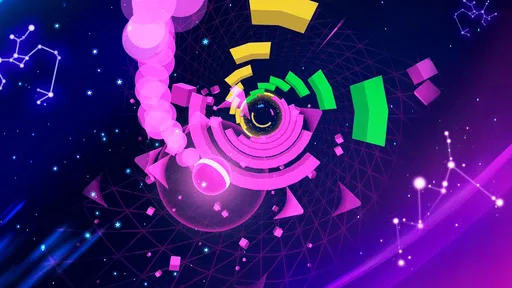
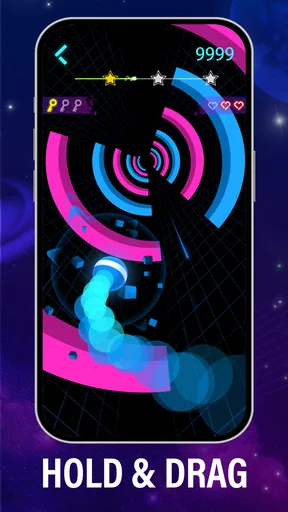
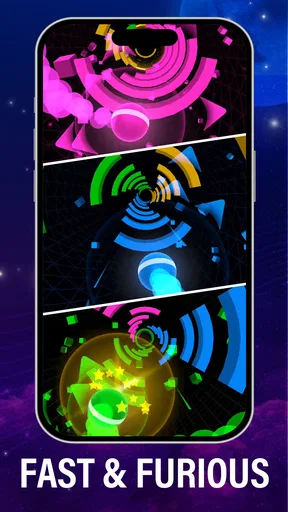
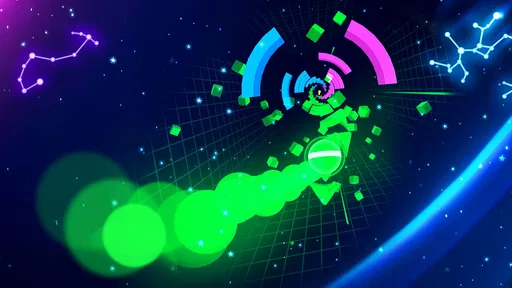
Our Review of Dream Circles Dash: Music Game
 Analysis by Appyee
Ever wondered how your photos would look with a pop of color magic? Well, let me introduce you to Magic Color, the app that's got everyone talking! I’ve had my hands on it for a while now, and trust me, it’s a game-changer for anyone looking to add some vibrant hues to their pictures.
Getting Started with Magic Color
First things first, downloading and setting up Magic Color is a breeze. Available on both Android and iOS, it’s just a quick download away from transforming your photo editing experience. Once installed, the app opens up with a clean and intuitive interface that's perfect for both beginners and seasoned editors.
Upon launching, you’re greeted with a straightforward menu that lets you dive right into editing. No unnecessary frills or complicated steps here—just pure, unadulterated creativity at your fingertips.
Unleashing the Magic
Now, let's talk about the real magic. The app offers an array of tools to make your photos pop. The standout feature is undoubtedly the color splash effect. With just a flick of your finger, you can turn any photo into a black-and-white masterpiece with vibrant splashes of color highlighting the areas you choose. It's like having a magic wand for your pictures!
What I love about this feature is the control it offers. You can adjust the brush size, making it easy to color both large areas and tiny details. Plus, the zoom function lets you get up close and personal with your edits, ensuring precision every time.
Other Handy Tools
Aside from color splash, Magic Color comes packed with a variety of filters and effects to experiment with. Whether you’re going for a vintage vibe or a modern touch, there’s something for every mood. The filters are neatly categorized, making it easy to find the perfect one for your photo.
And let’s not forget about the basic editing tools. Cropping, rotating, and adjusting brightness or contrast are just a tap away, giving you all the essentials right at your fingertips. It’s like having a mini photo studio in your pocket!
Sharing Your Masterpieces
Once you’ve worked your magic, sharing your creations is a cinch. The app seamlessly integrates with social media platforms, allowing you to post your photos directly to Instagram, Facebook, or wherever your audience is. Just a couple of taps, and your edited photos are out there for the world to see.
And if you’re like me and love to keep your photos organized, the app’s ability to save directly to your device or cloud storage is a nifty feature. Your masterpieces are always safe and sound, ready to be shared or revisited anytime.
Final Thoughts
So, is Magic Color worth the download? Absolutely! It’s not just an app; it’s a ticket to unleashing your creativity. Whether you’re a casual photo editor or someone who takes their Instagram game seriously, this app has something to offer.
With its user-friendly interface, powerful editing tools, and seamless sharing options, it’s no wonder people are raving about it. So go ahead, give Magic Color a try and let your photos speak volumes with a splash of color magic!
Privacy and Permissions
See what permissions an app requests and how it handles your data.
- Wi-Fi connection information
- view Wi-Fi connections
- Other
- view network connections, full network access, control vibration, prevent device from sleeping, Google Play license check
Verdict
Strengths of Dream Circles Dash: Music Game
- User-friendly interface for easy navigation.
- Wide range of color options available.
- Fast and smooth performance.
- Customizable templates enhance creativity.
- Regular updates with new features.
Limitations of Dream Circles Dash: Music Game
- Limited free features; requires purchases.
- Occasional ads can be disruptive.
- Some options need internet access.
- Not compatible with older devices.
- Initial setup can be slightly confusing.
Similar Picks in This Category
View All
Tiles Hop Music & Ball Game
AMANOTES PTE. LTD.4.3

Magic Tiles 3™ - Piano Game
AMANOTES PTE. LTD.4.6

Real Piano
Bilkon3.7

Piano Game: Classic Music Song
Dream Tiles Piano Game Studio4.0

Smash Colors: Music Ball Rush
BADSNOWBALL HONGKONG LIMITED4.2

Piano Music Go-EDM Piano Games
Joy Journey Music Games4.5
Frequently Asked Questions
What is Magic Color, and how does it work?
Magic Color is a creative app designed to transform photos with a variety of color filters and editing tools. Users can apply vibrant effects, adjust brightness, contrast, and saturation, or create stunning visual art pieces with ease. The app's intuitive interface makes navigation and editing a seamless experience for beginners and advanced users alike.
Is Magic Color available for both Android and iOS devices?
Yes, Magic Color is available for download on both Android and iOS platforms. Users can access the app through the Google Play Store for Android devices and the Apple App Store for iOS devices. Ensure your device meets the minimum system requirements for optimal performance.
Does Magic Color require an internet connection to function?
Magic Color primarily operates offline, allowing users to edit photos without an internet connection. However, certain features, such as accessing online filters or sharing edited images directly to social media, may require connectivity. Users can enjoy the core functions of the app without being online.
Are there any in-app purchases or subscriptions needed for Magic Color?
Magic Color offers a free version with basic features. However, for an enhanced editing experience, users can opt for in-app purchases or subscribe to the premium version. The premium version unlocks additional filters, tools, and ad-free usage, providing more flexibility and creative options.
How user-friendly is the Magic Color app for beginners?
Magic Color is designed with a user-friendly interface that caters to both beginners and experienced users. The app includes tutorials and tips to guide new users through the editing process. Its simple navigation and clear icons make it easy for beginners to start creating stunning images right away.
Play our best games!


